A structured view of available information
The Kolawispak interface is the layer through which users engage with organised information. It is not a blank dashboard — it is a purposefully arranged environment where each area has a defined role.
Rather than presenting raw data in unstructured form, the interface groups related content, applies clear labels, and provides navigation that reflects how the underlying information is classified.
This page explains the intended structure of that environment. It does not describe specific screens or authenticated features — those are available only after access is established.
How the interface is arranged
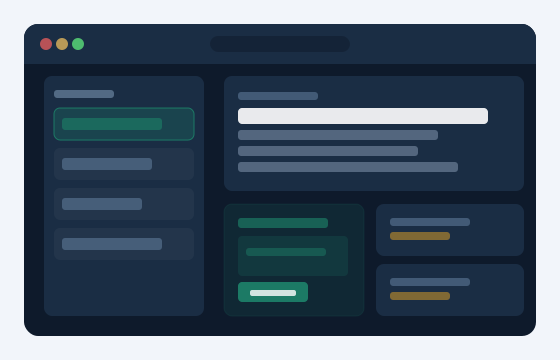
The Kolawispak environment is divided into defined zones, each serving a distinct informational purpose.
Navigation Panel
A persistent navigation area lets users move between the major sections of classified information. The structure of this panel reflects the underlying taxonomy that Kolawispak applies to received material.
Content Region
The main area displays the content belonging to whichever section is active. Formatting is consistent: headings, descriptive fields, and reference data appear in a predictable arrangement regardless of content type.
Status and Metadata Display
Each item of information carries associated metadata — such as its classification category, the date it was received, and any current review status. This detail is visible alongside the primary content.
Enquiry and Support Channel
From within the interface, users can reach the support channel directly. This is the appropriate route for questions that the displayed information alone does not resolve.
Clarity first, then completeness
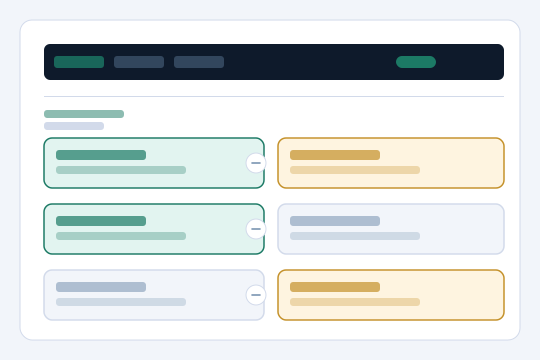
The interface prioritises legibility over complexity. Information is presented in the sequence in which it is most likely to be needed, not in the sequence in which it was received or processed.
Every section follows the same structural pattern, reducing the learning curve as users move between areas.
Each item's classification is visible at all times, so users understand where a piece of information belongs within the broader scheme.
Available sections and pathways are visible in the navigation panel rather than buried in contextual menus.
What people ask about the interface
If you would like to understand more about what Kolawispak can offer for your particular situation, or if you are ready to begin the access process, the enquiries page is the right place to start. The support team will review your message and respond with relevant information.